

Python hosting for Django and Flask apps
Our Python hosting gives every app its own version and virtualenv in cPanel: choose the interpreter, install packages with pip and serve the app on your own domain with free SSL.
- Python version for each app
- Django or Flask
- pip in its own virtualenv
- Free https
Starting at
*Starter plan on a 36-month term (£36.00 billed every 36 months, same price at renewal). Month-to-month: £3.99/mo.
- 30 days to ask for a refund
- Free site move
- Help any hour


Choose a plan for your Django or Flask app
Setup Python App comes with the cPanel on every plan, which runs on LiteSpeed servers with NVMe storage.Every plan carries a30-day money-back promiseSet up an app, see how it behaves and ask support anything. Within 30 days of signing up you can request a refund of the hosting fee. Domain fees are not refundable.
Starter
For one small site or a first blog
- 1 CPU 2 GB RAM
- 15 GB NVMe storage
- Free .com domain
Renews at £36.00 every 36 months.
What you get:
- Host 2 websitesHow many separate websites (domains) you can run from this hosting account.
- Unmetered bandwidthNo per-GB charges for traffic. Fair use applies so the server stays fast for every customer.
- 4 email accountsMailboxes on your own domain ([email protected]) with 1 GB of storage each.
- Imunify360 virus scannerImunify360 checks your files for malware every day and quarantines anything infected.
- Free Daily BackupsJetBackup snapshots are stored off-server. Restore a single file, a database or the whole site from cPanel.
- Unlimited free Let's Encrypt SSLLet's Encrypt certificates are issued and renewed automatically for every domain and subdomain.
- LiteSpeed EnterpriseA web server built for PHP and WordPress speed, with LSCache included.
- DDoS protectionNetwork-level filtering drops junk traffic before it reaches your website.
- Free website migrationOur team moves your site, databases and email from your old host and checks everything before you switch DNS.
- cPanel and one-click installerManage files, email, databases and domains from cPanel, the control panel most developers already know.
- Softaculous (400+ apps)One-click installs for 400+ apps, including WordPress, Joomla and Drupal.
- 24/7 expert supportTalk to our support engineers by ticket any hour of the day, every day of the year.
WordPress Toolkit
- Free 1-click WordPress installationWordPress ready in under a minute, with LiteSpeed Cache already configured.
- WordPress multisiteRun a network of WordPress sites from one installation.
- WordPress vulnerabilities scannerFlags plugins and themes with known security issues so you can update them.
- WordPress autoupdatesCore, plugin and theme updates run on a schedule you choose.
- Git version controlTrack theme and plugin code in Git and deploy changes from cPanel.
- WP-CLI and SSHCommand-line control of WordPress for developers.
- Object cache for WordPressCaches database results so busy, dynamic pages load faster.
Developer's feature
- PHPChoose the PHP version per site from cPanel.
- Node.jsDeploy Node.js apps straight from cPanel.
- PythonRun Python apps and scripts.
- DjangoDeploy Django projects on your hosting account.
- TerminalA browser-based shell inside cPanel.
Security
- Web application firewallFilters SQL injection, cross-site scripting and bad bots before they reach your site.
- Free domain WHOIS privacy protectionHides your personal contact details from public WHOIS lookups on eligible domains.
- Malware scannerDaily scans of your files, with an email alert if anything is found.
- Secure access managerGive a developer or staff member limited access without sharing your password.
- Advanced DDoS protectionExtra filtering capacity for larger attacks.
Service and support
- 30-day money-back guaranteeCancel within 30 days of signing up and we refund your hosting fee. Domain fees are non-refundable.
- 24/7/365 supportSupport engineers on hand every hour of every day.
- 99.99% uptimeBacked by our SLA. If monthly uptime drops below 99.99%, you get a service credit.
Technical details
- 20 PHP workersHow many PHP requests can run at the same moment. More workers handle more visitors at once.
- ~20,000 visits monthlyA rough guide for a typical WordPress site, not a hard cap.
- 300,000 files & directories (inodes)The total number of files and folders allowed in your account.
- 2 subdomainsUp to 2 subdomains, such as blog.yourdomain.com.
- 25 MySQL max user connectionsSimultaneous database connections allowed per database user.
- 2 databasesUp to 2 MySQL databases.
- 1 FTP account1 FTP account for uploading files.
- 5 cronjobsUp to 5 scheduled tasks (cron jobs).
- Git accessDeploy and version your site's code with Git.
- Multiple PHP versionsSwitch PHP versions per site when an app or plugin needs it.
- DNS managementEdit A, CNAME, MX and TXT records yourself.
- Cache managerTurn caching on or off and clear it per site.
- cPanel control panelEverything in your account is managed from cPanel.
- SSH accessSecure command-line access to your account.
Basic
Room for a few sites and a growing audience
- 2 CPU 2 GB RAM
- 50 GB NVMe storage
- Free .com domain
Renews at £63.00 every 36 months.
All the benefits of Starter, plus:
- Host 3 websitesHow many separate websites (domains) you can run from this hosting account.
- Unmetered bandwidthNo per-GB charges for traffic. Fair use applies so the server stays fast for every customer.
- 10 email accountsMailboxes on your own domain ([email protected]) with 1 GB of storage each.
- Imunify360 virus scannerImunify360 checks your files for malware every day and quarantines anything infected.
- Free Daily BackupsJetBackup snapshots are stored off-server. Restore a single file, a database or the whole site from cPanel.
- Unlimited free Let's Encrypt SSLLet's Encrypt certificates are issued and renewed automatically for every domain and subdomain.
- LiteSpeed EnterpriseA web server built for PHP and WordPress speed, with LSCache included.
- DDoS protectionNetwork-level filtering drops junk traffic before it reaches your website.
- Free website migrationOur team moves your site, databases and email from your old host and checks everything before you switch DNS.
- cPanel and one-click installerManage files, email, databases and domains from cPanel, the control panel most developers already know.
- Softaculous (400+ apps)One-click installs for 400+ apps, including WordPress, Joomla and Drupal.
- 24/7 expert supportTalk to our support engineers by ticket any hour of the day, every day of the year.
WordPress Toolkit
- Free 1-click WordPress installationWordPress ready in under a minute, with LiteSpeed Cache already configured.
- WordPress multisiteRun a network of WordPress sites from one installation.
- WordPress vulnerabilities scannerFlags plugins and themes with known security issues so you can update them.
- WordPress autoupdatesCore, plugin and theme updates run on a schedule you choose.
- Git version controlTrack theme and plugin code in Git and deploy changes from cPanel.
- WP-CLI and SSHCommand-line control of WordPress for developers.
- Object cache for WordPressCaches database results so busy, dynamic pages load faster.
Developer's feature
- PHPChoose the PHP version per site from cPanel.
- Node.jsDeploy Node.js apps straight from cPanel.
- PythonRun Python apps and scripts.
- DjangoDeploy Django projects on your hosting account.
- TerminalA browser-based shell inside cPanel.
Security
- Web application firewallFilters SQL injection, cross-site scripting and bad bots before they reach your site.
- Free domain WHOIS privacy protectionHides your personal contact details from public WHOIS lookups on eligible domains.
- Malware scannerDaily scans of your files, with an email alert if anything is found.
- Secure access managerGive a developer or staff member limited access without sharing your password.
- Advanced DDoS protectionExtra filtering capacity for larger attacks.
Service and support
- 30-day money-back guaranteeCancel within 30 days of signing up and we refund your hosting fee. Domain fees are non-refundable.
- 24/7/365 supportSupport engineers on hand every hour of every day.
- 99.99% uptimeBacked by our SLA. If monthly uptime drops below 99.99%, you get a service credit.
Technical details
- 40 PHP workersHow many PHP requests can run at the same moment. More workers handle more visitors at once.
- ~50,000 visits monthlyA rough guide for a typical WordPress site, not a hard cap.
- 400,000 files & directories (inodes)The total number of files and folders allowed in your account.
- 5 subdomainsUp to 5 subdomains, such as blog.yourdomain.com.
- 50 MySQL max user connectionsSimultaneous database connections allowed per database user.
- 5 databasesUp to 5 MySQL databases.
- 5 FTP accounts5 FTP accounts for uploading files.
- 10 cronjobsUp to 10 scheduled tasks (cron jobs).
- Git accessDeploy and version your site's code with Git.
- Multiple PHP versionsSwitch PHP versions per site when an app or plugin needs it.
- DNS managementEdit A, CNAME, MX and TXT records yourself.
- Cache managerTurn caching on or off and clear it per site.
- cPanel control panelEverything in your account is managed from cPanel.
- SSH accessSecure command-line access to your account.
Business
Built for online stores and busy business sites
- 3 CPU 4 GB RAM
- 200 GB NVMe storage
- Free .com domain
Renews at £161.59 every 36 months.
Everything in Basic, plus:
- Host 100 websitesHow many separate websites (domains) you can run from this hosting account.
- Unmetered bandwidthNo per-GB charges for traffic. Fair use applies so the server stays fast for every customer.
- 150 email accountsMailboxes on your own domain ([email protected]) with 1 GB of storage each.
- Imunify360 virus scannerImunify360 checks your files for malware every day and quarantines anything infected.
- Free Daily BackupsJetBackup snapshots are stored off-server. Restore a single file, a database or the whole site from cPanel.
- Unlimited free Let's Encrypt SSLLet's Encrypt certificates are issued and renewed automatically for every domain and subdomain.
- LiteSpeed EnterpriseA web server built for PHP and WordPress speed, with LSCache included.
- DDoS protectionNetwork-level filtering drops junk traffic before it reaches your website.
- Free website migrationOur team moves your site, databases and email from your old host and checks everything before you switch DNS.
- cPanel and one-click installerManage files, email, databases and domains from cPanel, the control panel most developers already know.
- Softaculous (400+ apps)One-click installs for 400+ apps, including WordPress, Joomla and Drupal.
- 24/7 expert supportTalk to our support engineers by ticket any hour of the day, every day of the year.
WordPress Toolkit
- Free 1-click WordPress installationWordPress ready in under a minute, with LiteSpeed Cache already configured.
- WordPress multisiteRun a network of WordPress sites from one installation.
- WordPress vulnerabilities scannerFlags plugins and themes with known security issues so you can update them.
- WordPress autoupdatesCore, plugin and theme updates run on a schedule you choose.
- Git version controlTrack theme and plugin code in Git and deploy changes from cPanel.
- WP-CLI and SSHCommand-line control of WordPress for developers.
- Object cache for WordPressCaches database results so busy, dynamic pages load faster.
Developer's feature
- PHPChoose the PHP version per site from cPanel.
- Node.jsDeploy Node.js apps straight from cPanel.
- PythonRun Python apps and scripts.
- DjangoDeploy Django projects on your hosting account.
- TerminalA browser-based shell inside cPanel.
Security
- Web application firewallFilters SQL injection, cross-site scripting and bad bots before they reach your site.
- Free domain WHOIS privacy protectionHides your personal contact details from public WHOIS lookups on eligible domains.
- Malware scannerDaily scans of your files, with an email alert if anything is found.
- Secure access managerGive a developer or staff member limited access without sharing your password.
- Advanced DDoS protectionExtra filtering capacity for larger attacks.
Service and support
- 30-day money-back guaranteeCancel within 30 days of signing up and we refund your hosting fee. Domain fees are non-refundable.
- 24/7/365 supportSupport engineers on hand every hour of every day.
- 99.99% uptimeBacked by our SLA. If monthly uptime drops below 99.99%, you get a service credit.
Technical details
- 60 PHP workersHow many PHP requests can run at the same moment. More workers handle more visitors at once.
- ~200,000 visits monthlyA rough guide for a typical WordPress site, not a hard cap.
- 600,000 files & directories (inodes)The total number of files and folders allowed in your account.
- 10 subdomainsUp to 10 subdomains, such as blog.yourdomain.com.
- 100 MySQL max user connectionsSimultaneous database connections allowed per database user.
- 10 databasesUp to 10 MySQL databases.
- 10 FTP accounts10 FTP accounts for uploading files.
- 15 cronjobsUp to 15 scheduled tasks (cron jobs).
- Git accessDeploy and version your site's code with Git.
- Multiple PHP versionsSwitch PHP versions per site when an app or plugin needs it.
- DNS managementEdit A, CNAME, MX and TXT records yourself.
- Cache managerTurn caching on or off and clear it per site.
- cPanel control panelEverything in your account is managed from cPanel.
- SSH accessSecure command-line access to your account.
Pro
Top resources and a priority support queue
- 4 CPU 6 GB RAM
- 300 GB NVMe storage
- Free .com domain
Renews at £251.64 every 36 months.
Everything in Business, plus:
- Host 350 websitesHow many separate websites (domains) you can run from this hosting account.
- Unmetered bandwidthNo per-GB charges for traffic. Fair use applies so the server stays fast for every customer.
- 350 email accountsMailboxes on your own domain ([email protected]) with 1 GB of storage each.
- Imunify360 virus scannerImunify360 checks your files for malware every day and quarantines anything infected.
- Free Daily BackupsJetBackup snapshots are stored off-server. Restore a single file, a database or the whole site from cPanel.
- Unlimited free Let's Encrypt SSLLet's Encrypt certificates are issued and renewed automatically for every domain and subdomain.
- LiteSpeed EnterpriseA web server built for PHP and WordPress speed, with LSCache included.
- DDoS protectionNetwork-level filtering drops junk traffic before it reaches your website.
- Free website migrationOur team moves your site, databases and email from your old host and checks everything before you switch DNS.
- cPanel and one-click installerManage files, email, databases and domains from cPanel, the control panel most developers already know.
- Softaculous (400+ apps)One-click installs for 400+ apps, including WordPress, Joomla and Drupal.
- 24/7 expert supportTalk to our support engineers by ticket any hour of the day, every day of the year.
WordPress Toolkit
- Free 1-click WordPress installationWordPress ready in under a minute, with LiteSpeed Cache already configured.
- WordPress multisiteRun a network of WordPress sites from one installation.
- WordPress vulnerabilities scannerFlags plugins and themes with known security issues so you can update them.
- WordPress autoupdatesCore, plugin and theme updates run on a schedule you choose.
- Git version controlTrack theme and plugin code in Git and deploy changes from cPanel.
- WP-CLI and SSHCommand-line control of WordPress for developers.
- Object cache for WordPressCaches database results so busy, dynamic pages load faster.
Developer's feature
- PHPChoose the PHP version per site from cPanel.
- Node.jsDeploy Node.js apps straight from cPanel.
- PythonRun Python apps and scripts.
- DjangoDeploy Django projects on your hosting account.
- TerminalA browser-based shell inside cPanel.
Security
- Web application firewallFilters SQL injection, cross-site scripting and bad bots before they reach your site.
- Free domain WHOIS privacy protectionHides your personal contact details from public WHOIS lookups on eligible domains.
- Malware scannerDaily scans of your files, with an email alert if anything is found.
- Secure access managerGive a developer or staff member limited access without sharing your password.
- Advanced DDoS protectionExtra filtering capacity for larger attacks.
Service and support
- 30-day money-back guaranteeCancel within 30 days of signing up and we refund your hosting fee. Domain fees are non-refundable.
- 24/7/365 supportSupport engineers on hand every hour of every day.
- 99.99% uptimeBacked by our SLA. If monthly uptime drops below 99.99%, you get a service credit.
Technical details
- 80 PHP workersHow many PHP requests can run at the same moment. More workers handle more visitors at once.
- ~500,000 visits monthlyA rough guide for a typical WordPress site, not a hard cap.
- 800,000 files & directories (inodes)The total number of files and folders allowed in your account.
- 20 subdomainsUp to 20 subdomains, such as blog.yourdomain.com.
- 200 MySQL max user connectionsSimultaneous database connections allowed per database user.
- 20 databasesUp to 20 MySQL databases.
- 20 FTP accounts20 FTP accounts for uploading files.
- 20 cronjobsUp to 20 scheduled tasks (cron jobs).
- Git accessDeploy and version your site's code with Git.
- Multiple PHP versionsSwitch PHP versions per site when an app or plugin needs it.
- DNS managementEdit A, CNAME, MX and TXT records yourself.
- Cache managerTurn caching on or off and clear it per site.
- cPanel control panelEverything in your account is managed from cPanel.
- SSH accessSecure command-line access to your account.
*Each price on the cards comes from our billing system, and renewals keep the price of the term you chose. A free domain for the first year comes with Basic, Business and Pro plans on yearly or longer terms. Celery workers, WebSockets or root access mean a VPS instead, so see the VPS plans. Hosting a WordPress site too? Our WordPress hosting suits it. Want mailboxes on your own domain? See the email hosting page.
Django hosting and Flask apps managed in cPanel
Setup Python App does the wiring you would otherwise do by hand, app after app.
Interpreter per app
Select the version as you create the app and swap it later on the same screen, one app at a time.
Its own virtualenv for each app
Two projects never share packages, because every app lives in its own virtual environment.
Install from requirements
List packages in requirements.txt and click Run Pip Install, or call pip yourself inside the app's environment.
Databases from cPanel
Make the database and its user in cPanel, then put the details into your Django or Flask settings file.
Your own domain, with SSL
Mount the app on a domain, subdomain or path and it loads over https with a free SSL certificate.
NVMe behind LiteSpeed
The app and its static files are stored on NVMe drives and served by LiteSpeed web servers.
What Python app hosting suits
A Django site and its admin, a Flask API behind a mobile app or a small team dashboard all run happily as cPanel Python apps, each answering web requests from inside its own virtual environment.
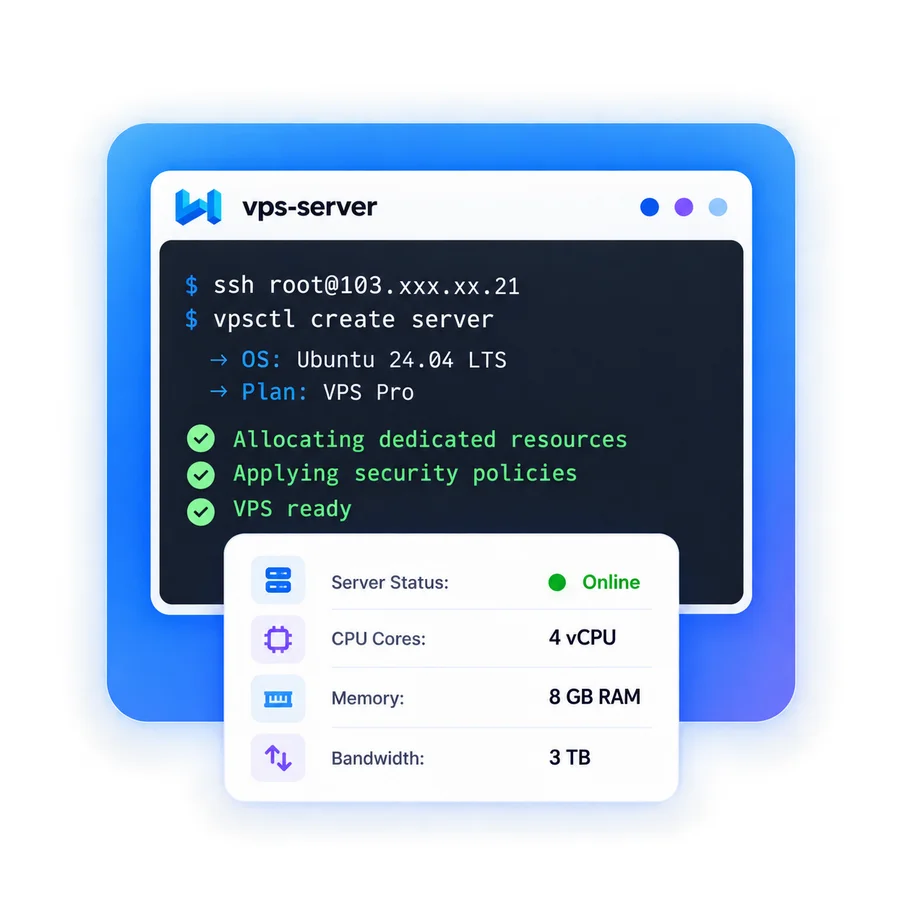
When to move to a VPS
Shared plans serve apps that answer web requests. A worker that has to stay running, a Celery queue, WebSockets or system packages needing root belong on a VPS instead.
Web hosting Python setup in six steps
Any WSGI app follows the same path.
- 1
Create the application
Find Setup Python App in cPanel and choose Create Application. Pick a Python version, the application root where your code will live and the address the app should answer on.
- 2
Add your project
Use cPanel File Manager to upload the project into the application root, with requirements.txt sitting at the top level of that folder.
- 3
Install the packages
Under Configuration files add requirements.txt and click Run Pip Install. Everything lands in that app's virtual environment, so versions never collide between apps.
- 4
Connect passenger_wsgi.py to the app
cPanel writes passenger_wsgi.py for you. In Django, import application from your project's wsgi.py; in Flask, import your Flask object under the name application.
- 5
Run the Django commands
Copy the line at the head of the app page to step into the virtual environment, then run migrate and collectstatic through python manage.py.
- 6
Restart and go live
Restart the app after every change to code or settings. A free SSL certificate covers your domain, so visitors reach it over https.
Tripped up on a step? Questions go to our support team around the clock. Workers or root access needed? Read about VPS hosting.
Moving a Python app?
Python app on another host? We move it for free
Share your host login and we copy your files, databases and mailboxes, test the app on our servers and pass on the DNS records to change. Your current site stays up until you switch.



Stuck on your Python app? Ask 24/7
Run Pip Install erroring, an app that will not start or a Django migration that fails: a ticket sent at any time of day reaches an engineer who will go through it with you.
What our customers say
Reviews from WaseerHost customers on HostAdvice and Trustpilot, in their own words.
Amazing hosting service!
I've been using WaseerHost, and their fast servers, excellent uptime, and responsive customer support make them the best choice. Their WHMCS system is smooth, and their pricing is affordable. Highly recommended!
Samina Iqbal
United States
When a hosting provider makes a difference
Since we chose our reseller hosting, managing domains has become a breeze. Outstanding performance, always-available support, and cutting-edge tools -- we couldn't ask for more! Highly recommended for anyone looking for top-notch reliability!
Pier Luigi
Italy
My experience with WaseerHost has been absolutely fantastic!
As someone who enjoys building websites with WordPress, I find the platform incredibly easy to use. The pricing is far more affordable than many other providers, and their customer service is exceptional. A 10/10 experience!
Charlie Alexander
United States
Everything you need in a hosting company!
We've been using WaseerHost since 2021, and the experience has been outstanding. After working with clients who use various other providers, I can confidently say WaseerHost stands out. They offer all the tools necessary to grow.
Irfan Ali
Singapore
Great uptime and speed
I recently got the Ignite VPS from WaseerHost, and it's been quite great so far. Performance-wise, quite reliable, great uptimes, and speed. The support team is helpful and responsive.
David Smith
United States
Great Experience with WaseerHost Shared Hosting
I've been using WaseerHost's shared hosting with a free domain. The setup was smooth, loading times are fast, and support is responsive and friendly. Excellent value for money.
Malik Waqas
Germany
Exceptional service from Waseer Host
I have been using Waseer Host for my web hosting needs, and I must say they provide exceptional service! Their hosting plans are fast, reliable, and affordable, making them a perfect choice for businesses and individuals.
Faisal Mahmood
China
Support team is one of the best I've worked with
Whenever I face an issue, they respond immediately, and the level of professionalism is impressive. They don't just give a quick fix -- they explain what went wrong and ensure I fully understand the solution.
Rohan Ahmad
Germany
Exceptional Customer Support
Whenever I've encountered an issue, I am connected with a real person within seconds. The team demonstrates exceptional professionalism and have resolved my issues promptly, often within minutes.
Shryar Wasir
United Kingdom
WaseerHost is total Win!
Setting up a website was surprisingly easy, even for someone with no prior experience. Their platform is intuitive, making the entire process straightforward and stress-free. The support team exceeded my expectations.
Muslim Mubeen
United States
Frequently asked questions about Django and Flask
Yes. Make the app in cPanel, upload the project, run Pip Install against requirements.txt and aim passenger_wsgi.py at your WSGI application. Migrations and collectstatic then run inside the app's environment.
It is. Create the app, upload your code, pip install Flask and expose your Flask object as application inside passenger_wsgi.py. After any change, press Restart in cPanel.
Setup Python App offers the versions installed on the server. You choose one while creating the app and can swap it afterwards on that same page.
Into the app's own virtual environment. Name the packages in requirements.txt, attach it under Configuration files and press Run Pip Install, or open the environment from the app page and call pip directly.
Websites, APIs and small apps that answer web requests fit shared plans. Anything that must keep running between requests, such as background workers, Celery queues or WebSockets, or that needs root for system software, belongs on a VPS.
The plan cards show today's prices straight from our billing system, and renewals keep the term's price you chose. Pay by card through Stripe or PayPal; a 30-day money-back guarantee applies.
Also on offer
Each card shows current billing prices, and renewals match them.
PHP sites
PHP 8.0 to 8.5 for each site, plus SSH and Git
- PHP version per site
- Git and SSH
- MySQL, phpMyAdmin
Node.js sites
Next.js and Express apps run from cPanel
- App manager for Node
- Express or Next.js
- Free SSL, your domain
Laravel apps
Composer, artisan and cron already set up
- PHP 8 and Composer
- Scheduler on cron
- Deploys from Git
cPanel · LiteSpeed · NVMe