

A fully qualified domain name (FQDN) is the complete name of one host in the Domain Name System, written with every label from the host up to the root, such as mail.example.com.. Software has nothing left to fill in, so the name points to exactly one place in the DNS tree. In everyday writing people drop the final dot, and mail.example.com still counts as fully qualified.
Key takeaways
- An FQDN names one node in the DNS tree by listing every label up to the root, for example
www.example.com.. - The trailing dot stands for the root. You can leave it out in everyday use, but DNS zone files treat a name without it as relative.
- An FQDN is not a URL. A URL wraps the host name in a scheme such as
https://, and often adds a port, path or query. - Each label can be at most 63 octets, and the whole name at most 255 octets on the wire. That works out to 253 characters of text.
- FQDNs appear in SSL certificates, mail server settings, DNS zone files and hosts files. On Linux,
hostname -fprints your machine's FQDN. On Windows,ipconfig /allshows the host name and primary DNS suffix that form it.
What is a fully qualified domain name?
DNS names form a tree. The root sits at the top, top-level domains such as com sit under it, and every other name hangs below those. A domain name is the list of labels on the path from a node up to the root (RFC 1034, section 3.1).
A fully qualified domain name includes all of those labels, with none missing. The IETF's DNS terminology document (RFC 8499, since replaced by RFC 9499) says that, strictly speaking, an FQDN includes every label including the zero-length label of the root. You write it as www.example.net. with a terminating dot. The same document notes that people still call names without that dot, like www.example.net, fully qualified.
A relative name, such as mail on its own, is the opposite. RFC 1034 describes relative names as incomplete. Local software has to add a domain to them before it can look them up. An FQDN needs no such help, which is why servers, certificates and configuration files ask for one.
The parts of an FQDN
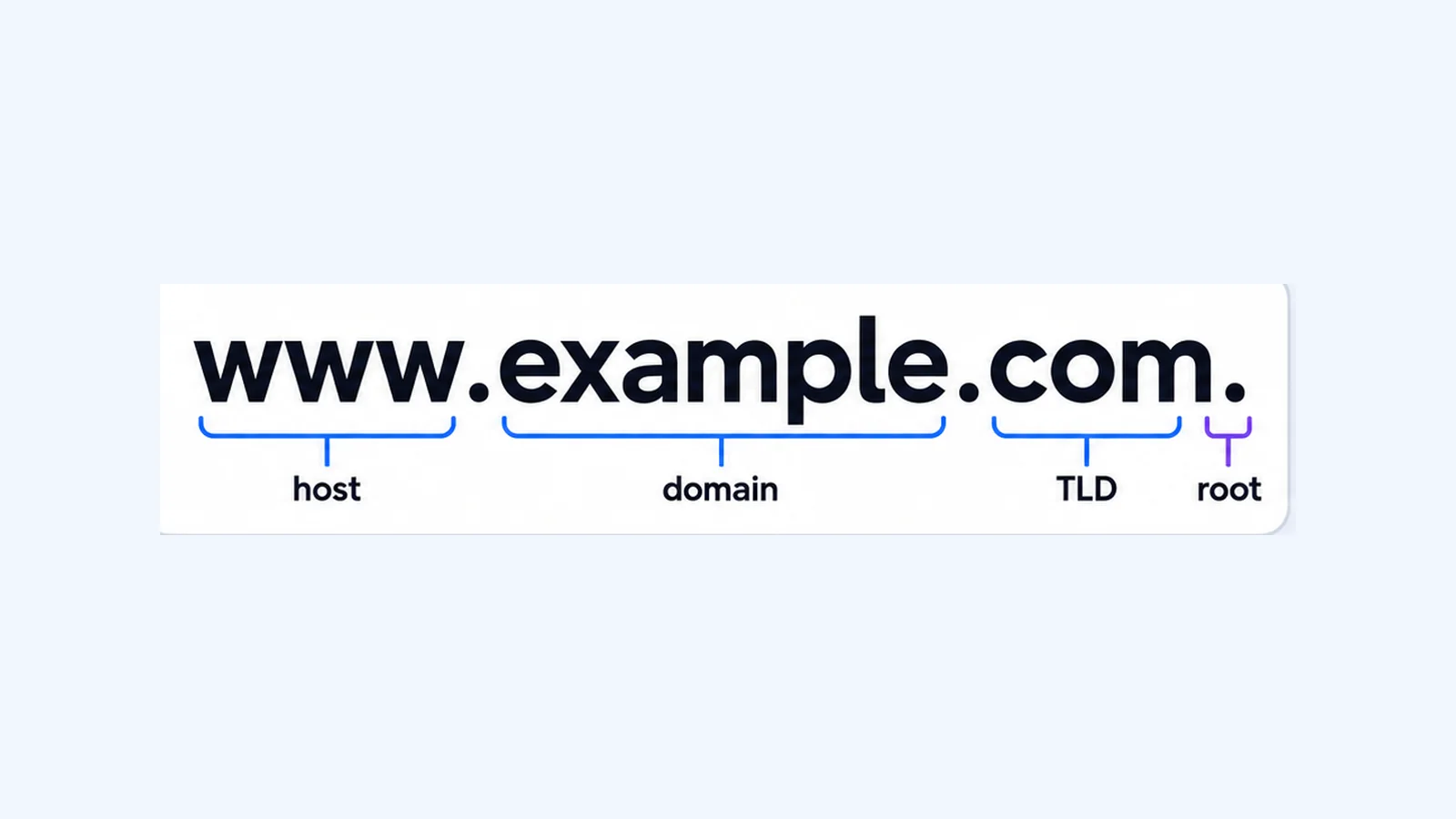
Take www.shop.example.com. and read it from right to left, because DNS works from the root down:
| Part | In the example | What it is |
|---|---|---|
| Root | the final . | The empty label at the top of the DNS tree |
| Top-level domain (TLD) | com | The extension, run by a registry |
| Second-level domain | example | The name you register at a registrar |
| Subdomain | shop | A label the domain owner creates under their domain |
| Host label | www | The leftmost label, usually naming a service or machine |
An FQDN doesn't need all five parts. example.com. is itself a fully qualified name. If it points to a web server (an A record at the domain's apex), it identifies that host in the same way www.example.com. does.
The trailing dot and the root
On the wire, DNS stores a name as a series of labels, each preceded by a one-octet length. Every name ends with the null label of the root, so the encoded name finishes with a zero-length byte (RFC 1035, section 3.1). In text, the trailing dot stands for that empty root label.
You rarely have to type it. It matters most in a DNS zone file. RFC 1035 (section 5.1) says names that end in a dot are absolute and complete. Names without the dot are relative, and the server appends the zone's origin (set with $ORIGIN). This rule causes a common mistake:
$ORIGIN example.com.
www     IN  CNAME  web.example.com.    ; absolute: points to web.example.com
blog    IN  CNAME  web.example.com     ; relative: becomes web.example.com.example.com.
The second record has no final dot, so the server reads it as web.example.com.example.com., a name that almost certainly doesn't exist. If you edit raw zone files, check every name on the right-hand side for its final dot.
FQDN vs hostname vs domain name vs URL
These terms overlap, and people use them loosely. The table shows how they differ in practice:
| Term | Example | What it means |
|---|---|---|
| Hostname | mail or mail.example.com | A name for a machine or service. RFC 9499 notes the term has no single formal definition; it often means the leftmost label, or any name made of letters, digits and hyphens |
| Domain name | example.com | The name of a node in the DNS tree. You register one and create names under it |
| FQDN | mail.example.com. | A domain name with every label up to the root, so it identifies one exact node |
| URL | https://mail.example.com:443/inbox?id=7 | A full address for a resource: a scheme, then an authority (host and optional port), then path, query and fragment (RFC 3986) |
A fast test helps. If it starts with https:// or contains a / path, it's a URL. Strip the scheme, port and path, and the host part that remains is usually an FQDN.
How long can an FQDN be?
DNS sets two limits, both in octets (bytes):
| Limit | Value | Source |
|---|---|---|
| One label | 63 octets or less | RFC 1035, section 2.3.4; RFC 1034, section 3.1 |
| Whole name | 255 octets or less, in wire format | RFC 1035, section 2.3.4; RFC 9499 |
| Name as typed text | 253 characters, without the trailing dot | Follows from the 255-octet wire limit |
Why 253? In wire format every label carries one extra length octet, and the name ends with a zero octet for the root. A name typed as n characters (dots included, no trailing dot) therefore takes n + 2 octets on the wire. With a 255-octet ceiling, the longest name you can type is 253 characters.
For host names, RFC 1034 (section 3.5) recommends labels that start with a letter, end with a letter or digit, and contain only letters, digits and hyphens. RFC 1123, section 2.1 later allowed a digit as the first character. It also says host software must handle host names up to 63 characters and should handle names up to 255.
Where you meet FQDNs
SSL/TLS certificates
Public certificates name the hosts they cover as FQDNs. Public certificate authorities follow the CA/Browser Forum Baseline Requirements. These define an FQDN as a domain name that includes the labels of all superior nodes in the DNS, and they list FQDNs in the certificate's subjectAltName field. A wildcard name is *. followed by an FQDN, such as *.example.com (CA/Browser Forum). So a certificate for example.com doesn't cover shop.example.com by default, because they are different FQDNs. Every WaseerHost hosting plan includes free SSL certificates. See current shared hosting plans.
Email servers
SMTP is strict about names. RFC 5321 (section 2.3.5) permits only resolvable, fully qualified domain names where SMTP uses domain names. A sending server puts its FQDN in its EHLO greeting if it has one (section 4.1.1.1). A mail server that announces itself as plain server1 breaks that rule. If you are setting up mail for your domain, see WaseerHost business email.
DNS zone files
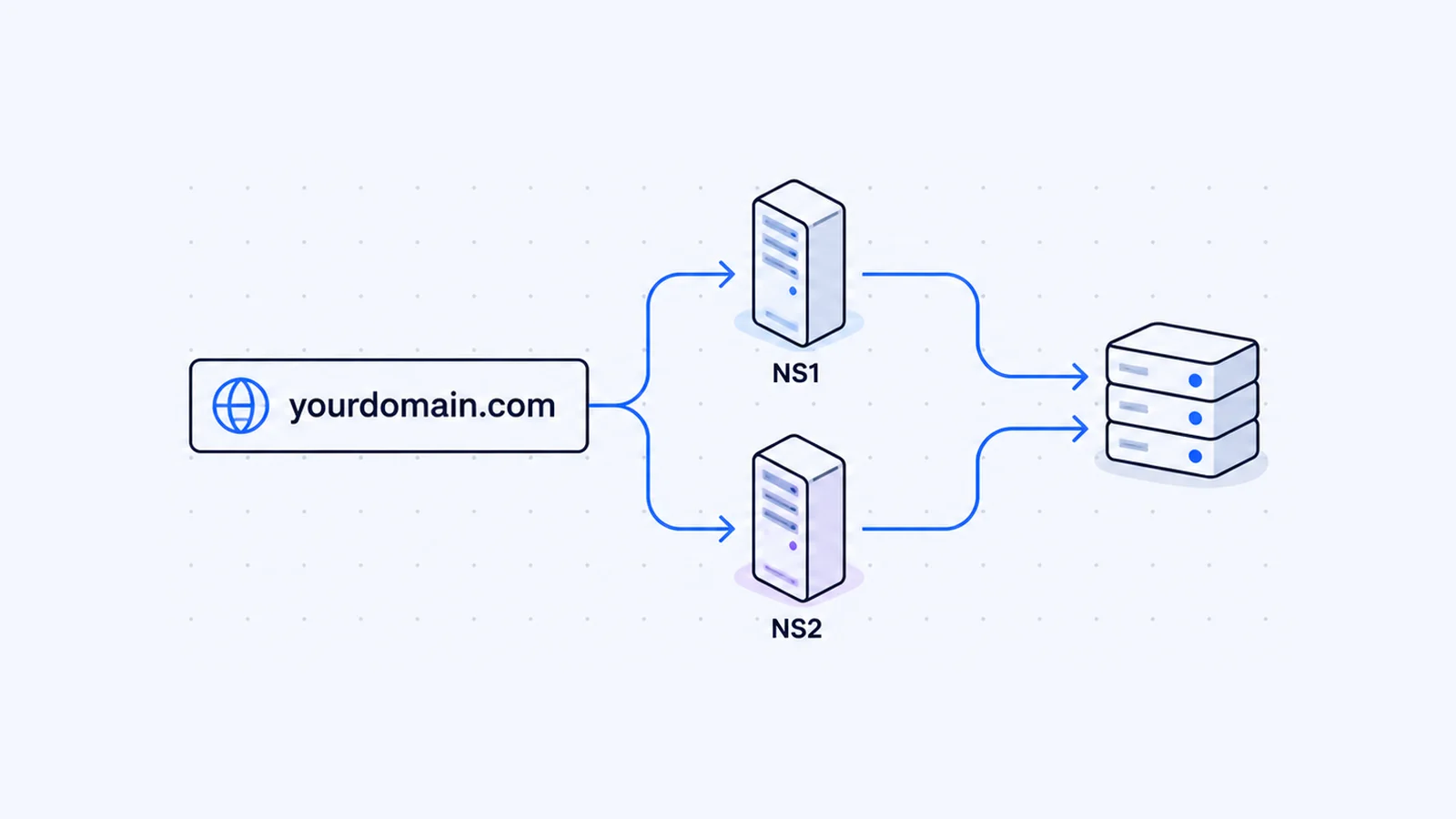
Every record in a zone has an owner name and often a target name. Both resolve to FQDNs, either written out with a trailing dot or completed with $ORIGIN as shown above. Nameserver records follow the same rule, and what nameservers are and how to change them walks through them.
Hosts files
The hosts file maps names to IP addresses without asking DNS. On Linux the format is IP_address canonical_hostname [aliases...], and the manual's own examples put the FQDN first and the short name as an alias (hosts(5)):
127.0.1.1       thishost.example.org   thishost
192.168.1.10    foo.example.org        foo
How to find your computer's FQDN
Windows
Windows builds the computer's FQDN from its host name plus its primary DNS suffix. Microsoft describes the primary DNS suffix as the suffix appended to the computer's name to complete its fully qualified domain name, and says ipconfig /all displays it (Microsoft Learn).
- Open Command Prompt or PowerShell.
- Run:
ipconfig /all- Near the top, under Windows IP Configuration, read Host Name and Primary Dns Suffix.
- Join them with a dot. A host name of
PC-042and a suffix ofcorp.example.comgive the FQDNPC-042.corp.example.com.
If Primary Dns Suffix is blank, Windows has no suffix to add, and the host name is the whole name. On a computer joined to Active Directory, the suffix defaults to the name of the domain it joined (Microsoft Learn).
macOS
- Choose Apple menu > System Settings, then click General in the sidebar.
- Click Sharing.
- Read the Local hostname at the bottom of the window (Apple Support).
Apple explains that the local hostname is your computer's name with .local added and spaces replaced by hyphens, so "My Computer" becomes My-Computer.local. Names ending in .local are special. RFC 6762 reserves .local. for Multicast DNS, and such names mean something only on the local network link. My-Computer.local works for file sharing at home, but nobody on the internet can look it up.
If your provider supports secure dynamic DNS updates, the same Local hostname > Edit dialog has a Use dynamic global hostname option that gives your Mac a global DNS name (Apple Support).
Linux
Use the hostname command from net-tools (hostname(1)):
hostname -f   # the FQDN (also --fqdn or --long)
hostname -s   # the short name, cut at the first dot
hostname -d   # the DNS domain: the FQDN minus the first label
Example output on a server called web1 in example.com:
web1.example.com
web1
example.com
The manual explains that hostname can't set the FQDN directly. It reports the canonical name the resolver returns for the machine's host name. If your system checks the hosts file first, you change the FQDN by editing /etc/hosts.
Check that an FQDN resolves
A fully qualified name may still have no DNS record. To check, query it with dig on macOS or Linux (see the BIND 9 dig manual):
dig mail.example.com A +short
dig www.example.com CNAME +short
An empty answer means the name has no record of that type. You can run the same check from a browser with the WaseerHost DNS lookup tool. If a record you just changed still returns the old value on your computer, flushing your DNS cache usually clears it.
To create your own names, you first register a domain. You can search for one on the WaseerHost domains page.
Frequently asked questions
www.example.com. is a fully qualified domain name. www is the host label, example the second-level domain, com the top-level domain, and the final dot the root. People still call www.example.com, written without the dot, fully qualified. mail.example.com and shop.example.co.uk are other examples.

Written by
Founder & CEO
Founder and CEO of Wasevo LLC, the company that runs WaseerHost. He works on cPanel/WHM servers, WHMCS billing and the Next.js storefront.