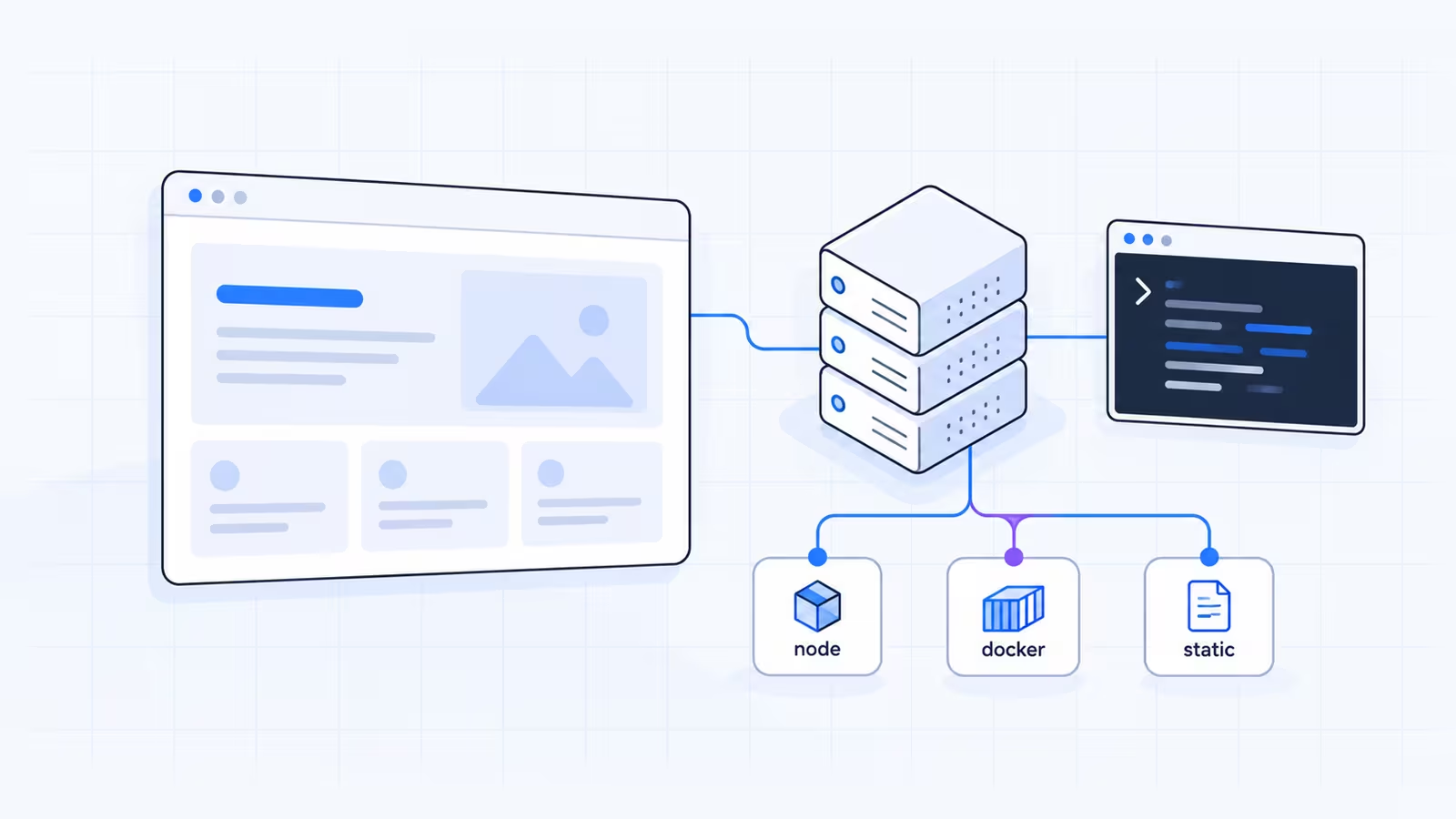


You don't need Vercel to run Next.js. Next.js is open source, and its deployment docs list four ways to host it: as a Node.js server, in a Docker container, as a static export, or through a platform adapter. If you want a Vercel alternative, the real question is which of those four your app needs, and that depends on which Next.js features you use.
Key takeaways
- Any host that runs Node.js can run a full Next.js app with
next buildandnext start. The Next.js docs say this route supports all features. - A static export runs on any web server, including basic shared hosting, but drops server features such as Server Actions, ISR, cookies and the default image optimizer.
- Docker gives you the same full feature set as a Node.js server and suits VPS hosts and container platforms.
- Netlify, Cloudflare, AWS Amplify and Firebase App Hosting run Next.js through their own integrations, and feature support varies by platform.
- When you self-host, caching, image optimization and multi-server setups become your job, and the Next.js self-hosting guide covers each one.
Why look for a Vercel alternative?
Vercel builds Next.js, and its platform runs a Next.js app with almost no setup. That is a fair reason to stay. Developers still move away for practical reasons:
- The free Hobby plan is for personal, non-commercial use only, per Vercel's Hobby plan docs. A business site needs a paid plan.
- Usage-based billing is harder to predict than a fixed monthly server.
- You may already pay for hosting and want the app next to your existing sites, email and database.
- You may need the server in a specific country, or full control of the machine.
None of these make Vercel a bad choice. They mean the right host depends on your budget, your traffic pattern and how much server work you are willing to do.
The four ways to deploy Next.js
This table comes from the official Next.js deployment page for Next.js 16.4.
| Deployment option | Feature support | Runs on |
|---|---|---|
| Node.js server | All features | Any host that runs Node.js: a VPS, cPanel hosting with Node.js, platform services |
| Docker container | All features | VPS servers, Kubernetes, container platforms |
| Static export | Limited | Any web server that serves HTML, CSS and JS files |
| Adapters | Varies by platform | Platforms with their own Next.js integration |
The first two options run the same Next.js server, so they behave the same way. The difference is packaging. Docker bundles Node.js and your app into one image, while the Node.js route uses the Node.js already installed on the host.
Which features need a server?
Check this before you pick a host. According to the static exports guide, a static export does not support:
- Server Actions, cookies and Route Handlers that read the request
- Incremental Static Regeneration (ISR) and Draft Mode
- Redirects, rewrites and headers set in
next.config.js, and Proxy - Dynamic routes without
generateStaticParams() - Image optimization with the default loader
If your app uses none of these, a static export is the cheapest and simplest option. If it uses any of them, you need a host that runs Node.js.
Option 1: Run Next.js as a Node.js server
This is the most direct route, and it works on a VPS or on any hosting plan that runs Node.js apps.
-
Check the Node.js version on the server. Next.js 16 needs at least Node.js 20.9, per the installation docs, and the Node.js project says production apps should use only Active LTS or Maintenance LTS releases.
bash# Linux shell node -v -
Make sure
package.jsonhas the build and start scripts:json{ "scripts": { "build": "next build", "start": "next start" } } -
Install dependencies, build, and start the server:
bash# Linux shell, in the project folder npm ci npm run build npm run startThe server listens on port 3000 by default.
-
Keep the process running after you log out. Use a process manager such as systemd or PM2 on a VPS, or the Node.js app manager in your hosting panel.
-
Put a reverse proxy such as Nginx in front of it. The self-hosting guide recommends this, because the proxy handles malformed requests, slow connections and rate limits before they reach Next.js.
Smaller deploys with standalone output
Setting output: 'standalone' in next.config.js makes next build create a .next/standalone folder with a minimal server.js and only the files your app needs. The output docs note that it does not copy public or .next/static, so copy them yourself:
# Linux shell, after next build
cp -r public .next/standalone/ && cp -r .next/static .next/standalone/.next/
PORT=3000 node .next/standalone/server.js
This setup suits cPanel Node.js hosting, because you upload one folder and point the app's startup file at server.js.
Option 2: Package it in Docker
Docker suits you if you deploy to a VPS, Kubernetes or a container platform such as Google Cloud Run, Fly.io or Render. The Next.js team keeps an official Docker example that uses standalone output to keep the image small.
A Docker image built this way supports every Next.js feature. Because environment variables read on the server at request time are not baked into the build, you can promote one image from staging to production with different settings. The exception is any variable prefixed NEXT_PUBLIC_, which next build writes into the browser bundle.
Option 3: Export a static site
Add one line to next.config.js:
const nextConfig = {
  output: 'export',
}

module.exports = nextConfig
Run next build, and Next.js writes plain HTML, CSS and JS files to the out folder. Upload that folder to any web server: shared hosting, Nginx, Apache or an object storage bucket. The Next.js docs include an Nginx example that maps clean URLs to the exported .html files.
Images are the usual catch. The default next/image optimizer needs a server, so set images.unoptimized: true or configure a custom loader that points at an image service.
Option 4: Platforms with their own Next.js integration
Several platforms run Next.js without you managing a server. The Next.js docs separate two groups:
- Verified adapters, which run the full Next.js test suite. Vercel and Bun are listed today, and the docs say Cloudflare and Netlify are working on verified adapters.
- Other platforms with their own integrations, where "feature support and compatibility may vary". The list includes AWS Amplify Hosting, Cloudflare, Deno Deploy, Firebase App Hosting, Netlify and Appwrite Sites.
As one example, Netlify's Next.js docs state support for Next.js 13.5 and later through the open source OpenNext adapter, including the App Router, ISR, Server Actions and streaming. They also list limits: middleware runs on Netlify Edge Functions with some differences, and rewrites in the Next.js config can't point to static files in public. Read the current docs of any platform you consider, because these details change between releases.
What you handle yourself when self-hosting
On a managed platform, the provider handles these. On your own server, the self-hosting guide puts them in your hands.
| Area | What to do |
|---|---|
| Image optimization | Works with next start out of the box. On glibc Linux, follow the sharp memory allocator note if memory grows. |
| ISR and caching | The cache lives on the local disk of each instance. One server with a persistent disk needs no changes. |
| Several servers | Use a shared cache handler (Redis, for example), the same NEXT_SERVER_ACTIONS_ENCRYPTION_KEY on every instance, and a deploymentId. |
| Streaming | Turn off proxy buffering. With Nginx, send the X-Accel-Buffering: no header. |
| Environment variables | NEXT_PUBLIC_ values are fixed at build time. Rebuild after you change them. |
| Shutdown | Send SIGTERM or SIGINT and allow 10 to 30 seconds so in-flight requests and after() callbacks finish. |
| Preview deployments | Not built in. Use a staging site or your CI system. |
A single server with one Next.js process avoids most of this table. The multi-server rows only apply once you run more than one instance.
Running Next.js on cPanel hosting
If you'd rather not manage a VPS, Node.js hosting with cPanel is a middle path. On WaseerHost, Node.js apps, including Next.js, run in cPanel, and plans include free SSL certificates, NVMe storage and 24/7 support. You upload the standalone build, set the startup file and environment variables in cPanel, and restart the app after each deploy. The step-by-step version is in the Node.js in cPanel guide, and you can see current Node.js hosting plans.
When you need several instances, root access or Docker, a VPS or dedicated server gives you the full self-hosting setup from Option 1 or Option 2.
If it still doesn't work
- Pages load without CSS or JavaScript in standalone mode. You skipped copying
.next/staticandpublicinto.next/standalone. Copy them and restart. - You see "Failed to find Server Action" errors. Several instances are running with different encryption keys. Set the same
NEXT_SERVER_ACTIONS_ENCRYPTION_KEYat build time. - Loading states never stream and the page arrives all at once. A proxy is buffering the response. Disable buffering in Nginx or your load balancer.
- An environment variable is
undefinedin the browser. OnlyNEXT_PUBLIC_variables reach the client, and they are read at build time, so rebuild after changing them. - The build fails on a static export. You are using a server-only feature from the list above. Remove it or switch to a Node.js host.
Frequently asked questions
No single host is better for every app. Vercel needs the least setup for Next.js, while a Node.js server or Docker on your own host supports every feature and gives you a fixed server cost and full control. Pick based on the features you use, your budget and how much server work you accept.

Written by
Web & AI Systems Lead
Web and AI Systems Lead at Wasevo, the company behind WaseerHost. He builds web applications and AI systems.